
Dear ImGui from C
All 399 Dear ImGui functions from plain C through cimgui.h, with the naming rules, the app helpers and headless rendering for tests.
- C
- Dear ImGui
C has no namespaces, no overloads and no default arguments, and Dear ImGui uses all three. cimgui.h gives you every one of ImGui’s 399 functions anyway, plus every struct with its real C++ layout, so io->DisplaySize and style->Colors[ImGuiCol_Text] work just as they do in C++.
It follows the conventions of cimgui and dear_bindings, so if you’ve used either, you already know the names. It’s generated from imgui.h, which is why nothing is missing.
Hello from C
#include "cimgui.h"#include "cimgui_impl_bui.h"
static void frame(void* user){    float* value = (float*)user;    ImGui_ShowDemoWindow();    ImGui_Begin("Hello");    ImGui_SliderFloat("Value", value, 0.0f, 1.0f);    ImGui_Text("%.2f", *value);    ImGui_End();}
int main(void){    float value = 0.5f;    ImGui_CreateContext();    cImGui_ImplBUI_App* app = cImGui_ImplBUI_CreateApp("Hello", 1280, 800, frame, &value, NULL);    cImGui_ImplBUI_RunApp(app);    cImGui_ImplBUI_DestroyApp(app);    ImGui_DestroyContext();}
Link bui::cimgui in CMake:
add_subdirectory(BUI)add_executable(myapp main.c)target_link_libraries(myapp PRIVATE bui::cimgui)The backend calls ImGui_NewFrame(), your frame(user) and ImGui_Render() itself, and Blender’s style and font are on by default. BUI’s own C demo is the bui_imgui_demo_c target (examples/imgui_demo_c.c).
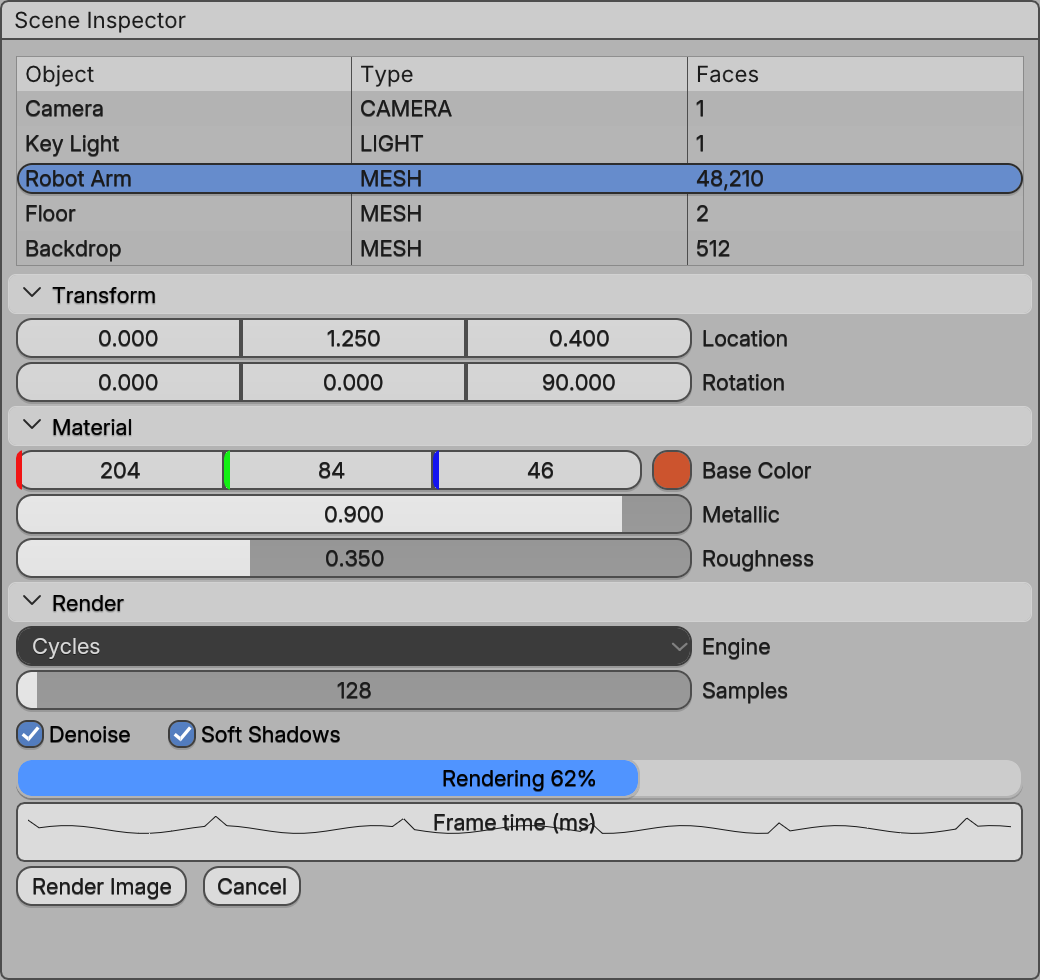
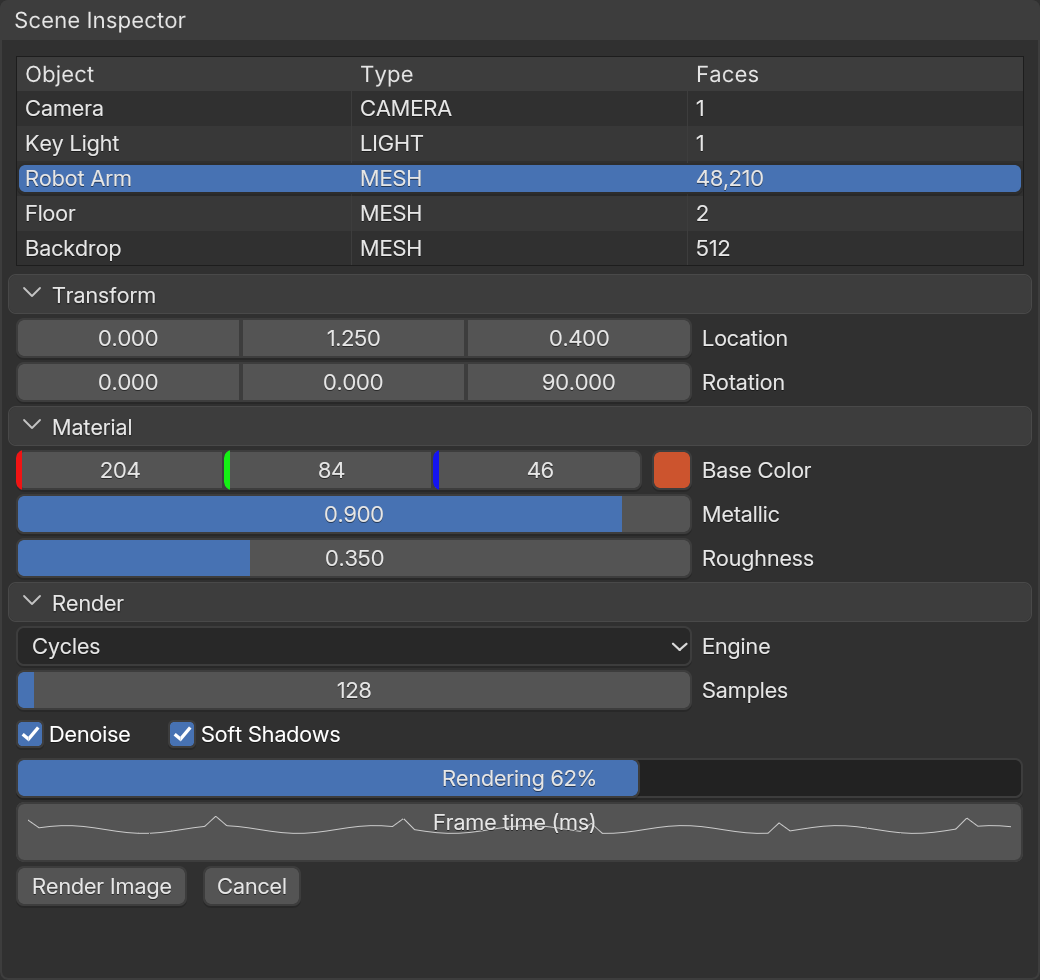
examples/site/imgui_inspector.cpp, built with Blender widgets. A C program that makes the same calls draws the same pixels.How the names work
Six rules turn any C++ call into its C spelling:
| C++ | C | Rule |
|---|---|---|
ImGui::Button("OK") |
ImGui_Button("OK") |
ImGui::X becomes ImGui_X |
ImGui::Button("OK", size) |
ImGui_ButtonEx("OK", size) |
The short name takes the required arguments; Ex takes all of them |
ImGui::PushID(3) |
ImGui_PushIDInt(3) |
Overloads get a suffix from the parameter types that differ: PushID(str), PushIDInt, PushIDPtr, MenuItemBoolPtr, PushStyleVarVec2 |
draw_list->AddLine(p1, p2, col) |
ImDrawList_AddLine(draw_list, p1, p2, col) |
Methods take the object first |
ImGuiIO& io = ImGui::GetIO() |
ImGuiIO* io = ImGui_GetIO() |
References become pointers; const ImVec2& is a plain ImVec2 |
ImGuiListClipper clipper; |
ImGuiListClipper* c = ImGuiListClipper_New(); |
Constructors are X_New / X_NewEx(...); destroy with X_Delete(obj) |
A few more details:
- printf-style functions keep their
...:ImGui_Text("%d items", n). The...Vvariants take ava_list. - Every struct has its C++ layout, checked by
static_asserts when BUI builds. Vectors are spelled out:ImVector_ImDrawCmdhasSize,CapacityandData. - Vectors in literals:
(ImVec2){ 20, 20 }works anywhere anImVec2goes.
Here’s a draw-list snippet from the C demo, to show the rules together:
ImDrawList* dl = ImGui_GetWindowDrawList();const ImVec2 p = ImGui_GetCursorScreenPos();ImDrawList_AddRectFilled(dl, p, (ImVec2){ p.x + 60, p.y + 20 }, IM_COL32(71, 114, 179, 255));ImDrawList_AddCircle(dl, (ImVec2){ p.x + 90, p.y + 10 }, 9, IM_COL32_WHITE);ImGui_Dummy((ImVec2){ 100, 22 });The backend in C: cimgui_impl_bui.h
The C backend’s functions use a cImGui_ImplBUI_ prefix:
| Function | What it does |
|---|---|
cImGui_ImplBUI_CreateApp(title, w, h, frame, user, config) |
A window whose client area is ImGui |
cImGui_ImplBUI_RunApp(app) |
BUI’s message loop, until the window closes |
cImGui_ImplBUI_CloseApp(app) |
Close the window (ends RunApp) |
cImGui_ImplBUI_DestroyApp(app) |
Shut down |
cImGui_ImplBUI_IsHeadless(app) |
True when there’s no window system |
cImGui_ImplBUI_Init(node, frame, user, config) |
ImGui inside a kit custom node of an existing BUI UI |
cImGui_ImplBUI_RequestFrames(n), RequestFrameIn(ms) |
Ask for frames when your data changes |
cImGui_ImplBUI_StyleBlender(style, scale) |
Blender’s theme on any ImGuiStyle |
cImGui_ImplBUI_GetScale(), SetScale(scale) |
BUI’s UI scale (DPI) |
cImGui_ImplBUI_SetBlenderWidgets(on) and friends |
The Blender-widgets switch |
config may be NULL for the defaults. To change one field, start from the defaults:
cImGui_ImplBUI_Config cfg = cImGui_ImplBUI_DefaultConfig();cfg.FontSize = 15.0f; /* pixels at scale 1; 0 is Blender's UI text size */cImGui_ImplBUI_App* app = cImGui_ImplBUI_CreateApp("Tool", 1280, 800, frame, &state, &cfg);The fields are BlenderStyle, BlenderFont, FontSize, FollowScale and SettleFrames.
Headless rendering and tests
The C backend can run ImGui without a window: frames render into an off-screen raster, and you feed input the way a window would. It’s how BUI tests its own bindings.
cImGui_ImplBUI_App* app = cImGui_ImplBUI_CreateHeadlessApp(800, 600, frame, &state, NULL);cImGui_ImplBUI_Render(app, 3); /* run 3 frames */cImGui_ImplBUI_Click(app, 100, 40); /* a left click */cImGui_ImplBUI_TypeText(app, "hello");cImGui_ImplBUI_Key(app, "Return", 0); /* X11 key names */cImGui_ImplBUI_SavePNG(app, "shot.png");cImGui_ImplBUI_DestroyApp(app);- Input:
MouseMove,MouseDown,MouseUp(button 0 left, 1 right, 2 middle),Click,Scroll,KeyDown,KeyUp,KeyandTypeText. Key names are X11 keysyms ("Return","BackSpace","Left","a"). Modifiers areBK_SHIFT1,BK_CTRL2 andBK_ALT4. - Output:
cImGui_ImplBUI_Pixels(app, &w, &h)returns the last frame as0xAARRGGBBvalues, row by row.SavePNGwrites it to a file.
The C demo uses exactly this for bui_imgui_demo_c --screenshot out.png.
Next steps
Last updated