
Welcome to BUI
BUI is Blender's user interface as a standalone library. Here's what that means, who it's for, and where to start.
If you’ve ever dragged a number in Blender, watched the cursor vanish, and felt the value glide under your hand, you already know what BUI is for. BUI takes Blender’s interface out of Blender and puts it in your app.
You keep writing UI the way you like: tkinter, Qt-style Python, Rust, React, Dear ImGui or plain C. BUI draws it with Blender’s widgets and gives it Blender’s interaction rules. No Blender install needed.
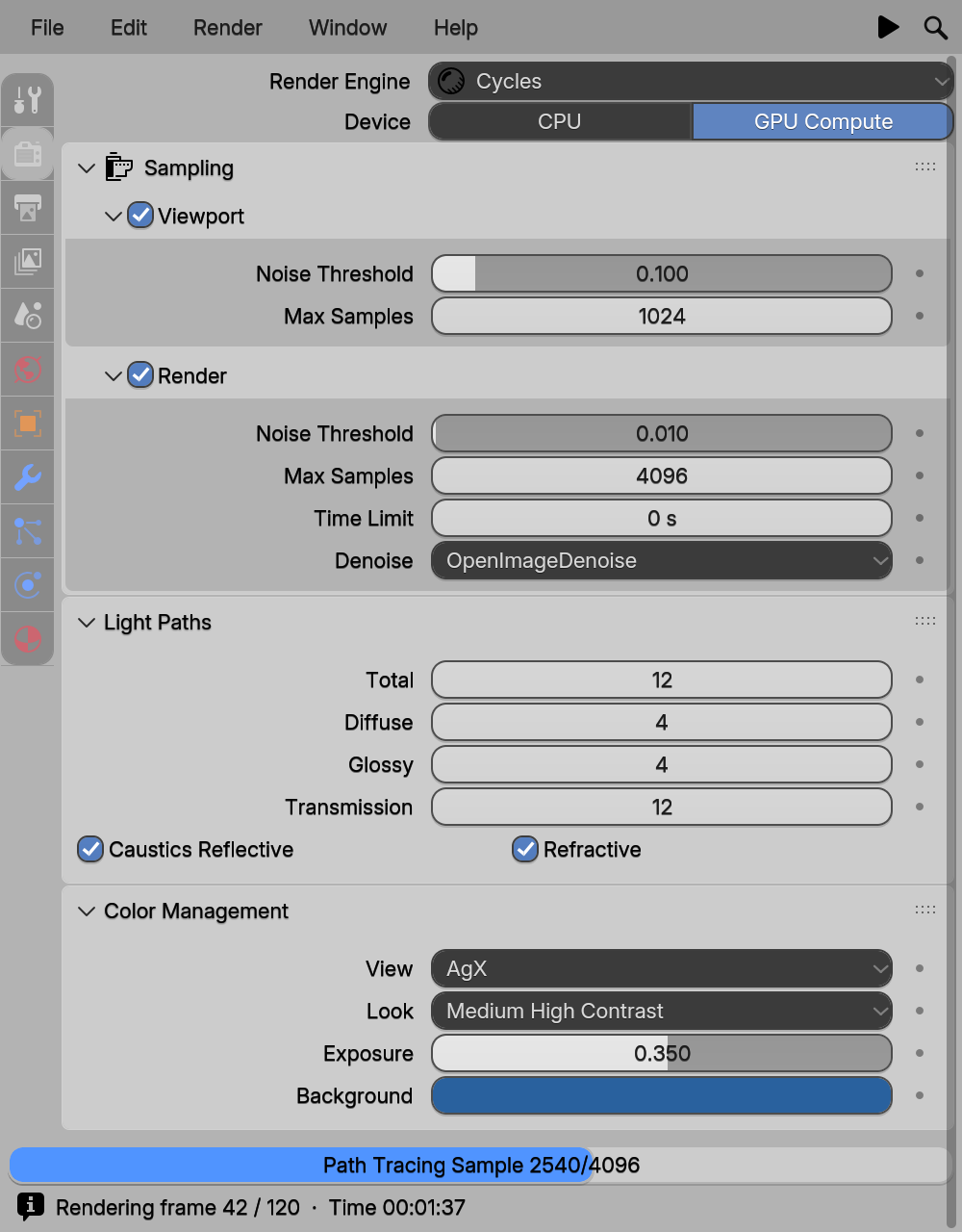
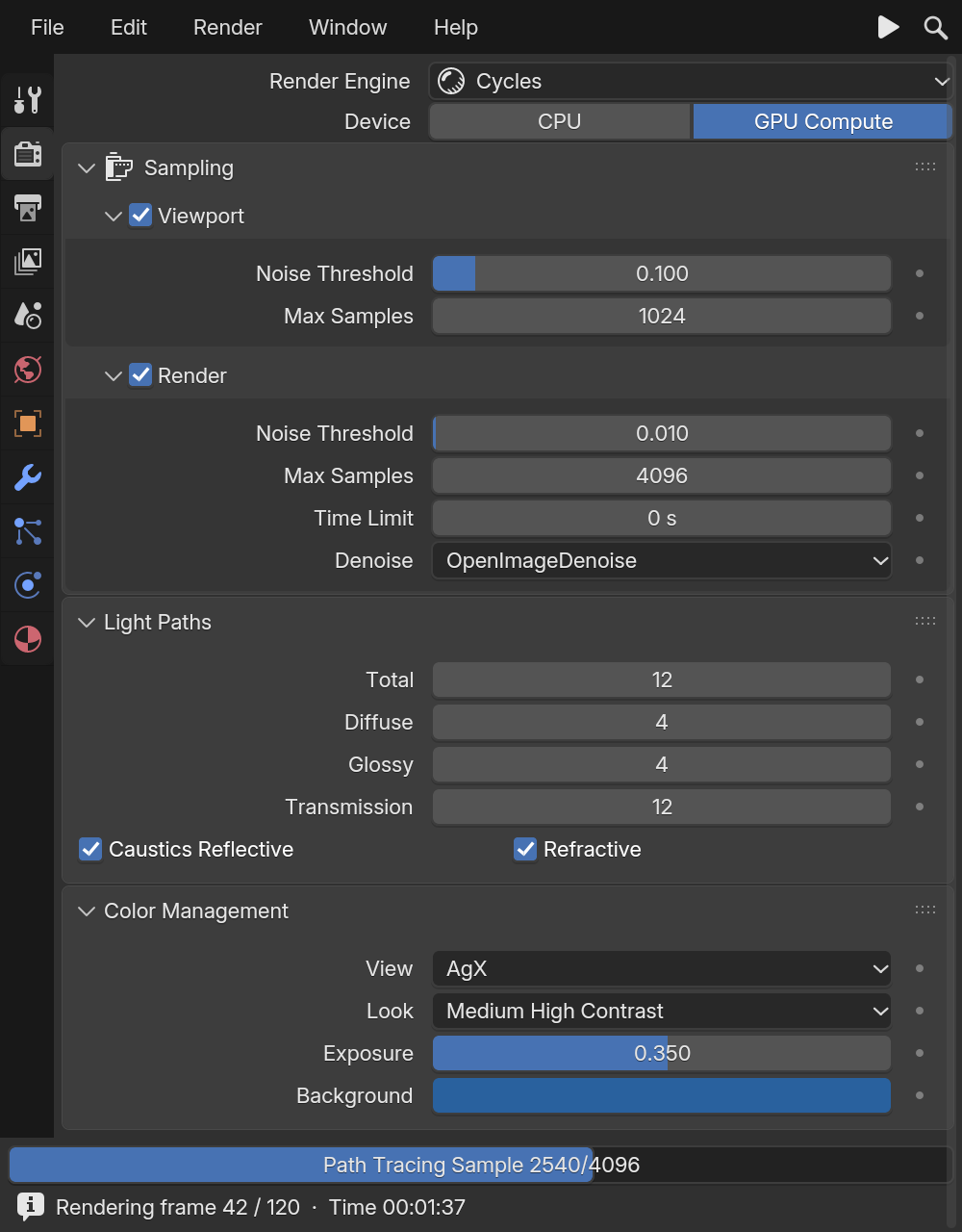
examples/site/render_props.py).What BUI is
BUI is a UI library: code that draws buttons, fields and panels in a window and tells your program when someone uses them.
At its heart is the kit, a small runtime written in C. The kit holds every widget in one tree, lays them out, handles the mouse and keyboard, and draws them the way Blender does. The drawing code is a C port of Blender’s own widget code, and the interaction follows Blender’s rules.
On top of the kit sit bindings: thin layers that let other languages talk to it. Your code builds the widget tree and handles callbacks. Everything else (layout, input, drawing, putting pixels on screen) happens in fast native code.
Who it’s for
- You have a tkinter app and wish it looked less like 1998. Run it on BUI, unchanged.
- You’re building a tool for artists, and they already know Blender. Give them the panels, sliders and shortcuts their hands expect.
- You write Rust or React and want a native desktop UI without shipping a browser.
- You use Dear ImGui and want it to look and feel like Blender, with one build flag.
- You’re curious how a UI toolkit works. The source is readable, and the Concepts are explained in plain words.
You don’t need to know Blender to use BUI. If you do, you’ll feel at home.
The many ways in
Every row below drives the same C kit, so they all get the same widgets and interactions.
| You write | Status | You get |
|---|---|---|
| tkinter, even existing programs | Works | Every tkinter and ttk API, in Blender's look |
Qt-style Python (QWidget, layouts, clicked.connect) | Partial | The common subset of Qt widgets |
Blender components (Panel, NumberSlider, PieMenu …) | Works | 45 native Blender widgets and editors from Python |
Rust with HTML, CSS, Tailwind, rsx! or gpui-style builders, and hooks | Works | A web-like framework, drawn natively |
| JavaScript or React on Node.js or Bun | Works | The same engine, with React's hooks backed by signals |
| Dear ImGui from C++, C, Python or Rust | Works | The real Dear ImGui, in Blender's theme or with Blender's widgets |
C (BUI_kit.h) | Works | The kit itself |
Works Works todayPartial Partly there
Not sure which to pick? If you already have code, use the row that matches it. If you’re starting fresh in Python, the Blender components are the friendliest: the first-app tutorial uses them.
What it feels like
These come from Blender and work in every API:
- Drag to scrub. Press a number field and drag sideways. The cursor hides and wraps, so you never hit the screen edge. Shift slows it down, Ctrl snaps.
- Math in number fields. Click a Blender number field and type
2*pior90/4. - Drag across checkboxes to set them all in one stroke.
- Pie menus and menu search. Typing “ad cu” finds “Add Cube”.
- Undo everywhere. Ctrl+Z and Ctrl+Shift+Z work on every UI edit.
How it works, in one minute
- Your code (in any language above) creates widgets and says what happens when they change.
- The kit keeps them in one tree, lays them out and handles input, following Blender’s rules.
- The renderer draws them, on the CPU by default or on the GPU if you ask (Direct3D 11 on Windows, OpenGL 3.3 on Linux).
- Damage rendering keeps it cheap: a change redraws only the rectangle it touched, and an idle window uses no CPU at all.
What BUI is not
- Not Blender. It contains the parts of Blender’s UI code it needs and builds on its own. You don’t need Blender installed.
- Not a browser. The Rust and JavaScript sides use HTML and CSS as a UI language, but there’s no browser engine, no webview and no network.
- Not a re-imagining. The widget drawing is ported from Blender’s
interface_widgets.cc, and Dear ImGui support runs the real Dear ImGui.
BUI is derived from Blender’s source code, so it shares Blender’s license: GPL-2.0-or-later.
Where to next
Last updated