
React on the desktop
Render React 19 components into native BUI windows with JSX, Tailwind classes and Blender's widgets, on Node.js or Bun.
- React 19.3
- JavaScript
Write the React you already know, and get a native desktop window instead of a browser tab. @blender-ui/react is a React 19.3 renderer for BUI: your components render HTML elements and Tailwind classes, BUI draws them on the CPU or the GPU, and Blender’s widgets are one import away. No Electron, no webview.
There’s one twist, and it’s a good one: the hooks hold signals, so a click can update a single text node without re-rendering your component. You can ignore that at first; your code works the React way either way.
Install
npm install @blender-ui/react react# orbun add @blender-ui/react reactIt brings @blender-ui/native with it. React 19.3 is a peer dependency. The native addon is prebuilt for Windows x64; on Linux, build it from source.
Your first component
/** @jsxImportSource @blender-ui/react */import { render, useState } from '@blender-ui/react'
function Counter () {  const [count, setCount] = useState(0)  return (    <main className="p-6 flex flex-col gap-3 bg-[#2b2b2b] text-[#e6e6e6]">      <span>Clicks: {count}</span>      <button onClick={() => setCount(c => c + 1)}>Add one</button>    </main>  )}
render(<Counter />, { title: 'Counter', width: 360, height: 200, gpu: true })
Run it:
bun app.jsxBun reads JSX as it is. On Node, compile it first with your usual tool (esbuild, TypeScript, Babel) using the JSX setting below, or skip JSX entirely with createElement.
Notice that the import comes from @blender-ui/react, not react. That’s where the signal-backed hooks live. setCount works exactly as in React.
Set up JSX
Tell your compiler where the JSX runtime is. In tsconfig.json:
{ "compilerOptions": { "jsx": "react-jsx", "jsxImportSource": "@blender-ui/react" }}Or put /** @jsxImportSource @blender-ui/react */ at the top of a file, as above. Your bundler’s JSX options work too.
The runtime does two things for you:
- Render tracking: a component that reads a signal while rendering re-renders when that signal changes.
- Typing: in TypeScript, host-element props accept signals of their type.
Without JSX
The package exports its own createElement, with render tracking built in:
const { render, createElement: h, useState } = require('@blender-ui/react')
function Counter () {  const [count, setCount] = useState(0)  return h('main', { className: 'p-6 flex flex-col gap-3' },    h('span', null, 'Clicks: ', count),    h('button', { onClick: () => setCount(c => c + 1) }, 'Add one'))}
render(h(Counter), { title: 'BUI + React', width: 420, height: 260 })
render and createRoot
render(element, options) opens a window and renders into it. It returns { app, window, root }.
| Option | What it does |
|---|---|
title, width, height, resizable |
The window |
gpu |
Draw on the GPU (Direct3D 11 on Windows, OpenGL on Linux) |
slug |
GPU text from glyph outlines (default) or an atlas |
headless |
Render off-screen: tests and CI |
app |
Reuse an App you already made, to open several windows |
window is a @blender-ui/native window, so you can style its body directly:
const { window } = render(<Counter />, { title: 'BUI + React', width: 420, height: 260 })window.body.setAttribute('styled', '') // Blender's look for every elementwindow.body.className = 'm-0 bg-[#2b2b2b] text-[#e6e6e6]'To render into a window you opened yourself, use createRoot(window), then root.render(<App />) and root.unmount(). Closing the window unmounts its root. For tests, act(fn) runs fn and flushes React’s work synchronously.
Host components
Host components are HTML elements, as in React DOM:
classNametakes Tailwind classes.styletakes a string, an object or a signal.htmlForand boolean attributes work.- Mouse, keyboard and form events work:
onClick,onMouseDown,onMouseUp,onMouseMove,onMouseEnter,onMouseLeave,onWheel,onKeyDown,onKeyUp,onInputandonChange. They bubble, andstopPropagationworks. onChangefollows React DOM: on a text field it fires on every edit. On checkboxes, radios, selects and other controls it fires when the value changes, even if the control’stypechanges later.- Handlers run as discrete updates, so a click’s state change commits immediately.
Blender’s widgets
Import Blender’s widgets as components. They’re always drawn and handled the Blender way: drag a number to change it, Ctrl to snap, and click to type a value or a sum such as 2*pi. (Plain <input> elements outside styled stay browser-style and don’t evaluate math.)
/** @jsxImportSource @blender-ui/react */import { render, useState, NumberSlider, Button } from '@blender-ui/react'
function Panel () {  const [size, setSize] = useState(2.5)  return (    <main className="p-4 flex flex-col gap-2">      <NumberSlider min={0} max={10} value={size} onChange={e => setSize(Number(e.target.value))} />      <Button onClick={() => console.log('apply', size.value)}>Apply</Button>    </main>  )}
render(<Panel />, { title: 'Blender widgets', width: 320, height: 160 })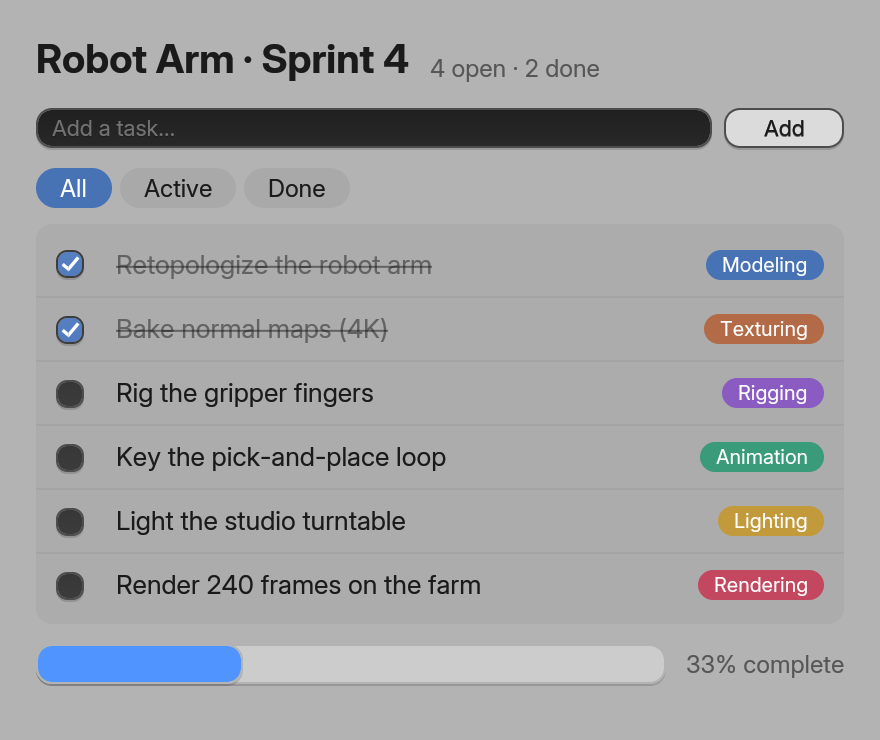
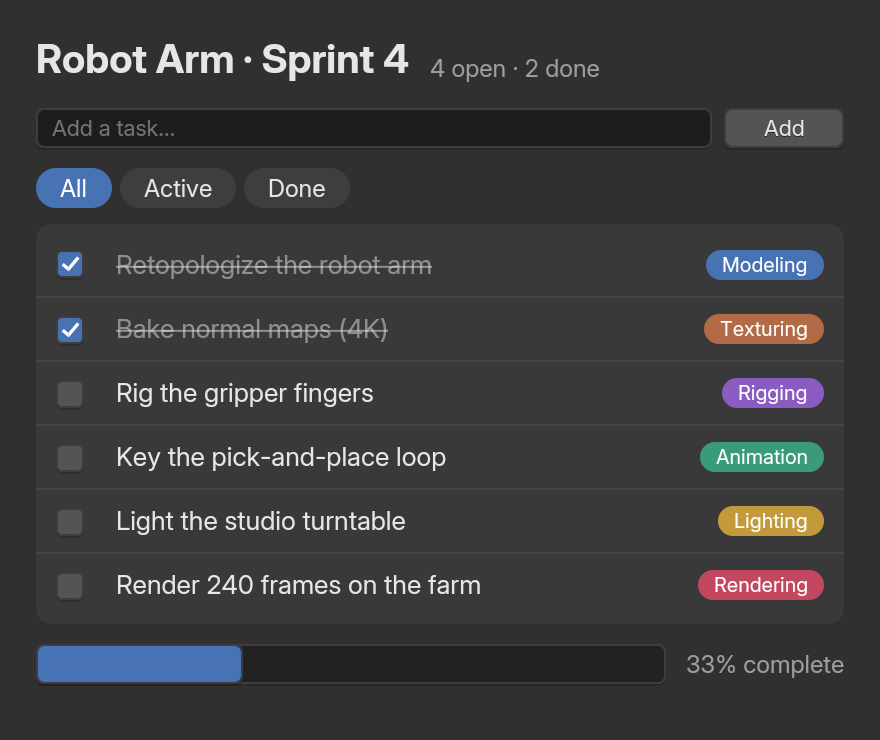
TextField, Button, Checkbox and ProgressBar (examples/site/js/todo_react.js).The ten components are Button, Checkbox, Radio, NumberField, NumberSlider, TextField, TextArea, ColorSwatch, Dropdown and ProgressBar. Each is an HTML element underneath (NumberSlider is an <input type="range">), so it takes the same props. Their lowercase twins (<button>, <input>) look like a browser’s controls, except inside a styled element.
Suspense, transitions and friends
React 19.3’s features work: <Suspense>, <Activity>, transitions, actions and <ViewTransition>. View transitions commit without animating, for now.
- Concurrent rendering, StrictMode and React’s timing come from React itself, because every hook is built from React’s public hooks.
- Nothing leaks: nodes React removes, or creates in a render it throws away (an interrupted or suspended render), are freed natively.
- One batch per commit: only what changed crosses to BUI’s UI thread.
A word on hooks
Import hooks from @blender-ui/react. They have React’s names, arguments and timing, but the state they hold is a signal. Two rules cover almost everything:
- Put it in JSX (
<span>{count}</span>) and a change updates that node alone. - Read
.valuewhen you need the value itself: in conditions ({name.value && <p>Hi</p>}), comparisons (count.value === 0) and arithmetic in TypeScript.
The signals page explains why, with every hook in a table.
Next steps
Last updated