
tkinter on BUI
BUI implements the whole tkinter API. Run existing programs unchanged, or write new ones, and get Blender's look and interactions.
- Python
tkinter is Python’s built-in UI toolkit, and there’s a lot of tkinter code in the world. BUI runs it. Every public name in tkinter and tkinter.ttk exists on BUI, 7,846 of 7,846 measured against the standard library, and nine real tkinter programs are tested to behave identically on both.
Your code stays tkinter. What changes is what people see and feel: Blender’s widgets, Blender’s theme, and Blender’s interactions on its fields.
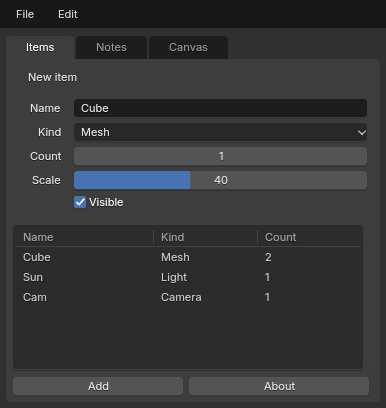
examples/tk_unchanged_app.py: plain tkinter, no BUI imports, run with blenderui-tk.Three ways in
| You want to | Do this |
|---|---|
| Run an existing program, unchanged | blenderui-tk my_app.py [args...] (the same as python -m bui.tksyntax my_app.py) |
| Switch from inside a program | Call blenderui.tksyntax.install() before the first import tkinter |
| Write new code for BUI | import blenderui.tksyntax as tk and from blenderui.tksyntax import ttk, messagebox |
Running unchanged. blenderui-tk is installed with pip install blenderui. It points tkinter and its submodules at BUI, adds the script’s folder to sys.path, and runs the script as __main__. Arguments after the script’s name reach it in sys.argv.
Switching inside. install() makes import tkinter return BUI’s tkinter for the rest of the process. It covers the submodules too: ttk, messagebox, filedialog, simpledialog, colorchooser, commondialog, dialog, font, scrolledtext and constants.
import blenderui.tksyntaxblenderui.tksyntax.install()   # before the first `import tkinter`
import tkinter as tkfrom tkinter import ttk
Importing by name is the clearest choice for new code, and it unlocks BUI-only options such as tk.Tk(gpu=True).
The tkinter tutorial walks through all three with a real program.
Module map
| tkinter | On BUI | Notes |
|---|---|---|
tkinter |
blenderui.tksyntax |
Tk, Toplevel, every classic widget, the variables, Event, PhotoImage, BitmapImage, mainloop, constants |
tkinter.ttk |
.ttk |
Themed widgets, including Treeview, Notebook, Progressbar, Combobox, Separator, Sizegrip, LabeledScale, Panedwindow and Style; state() and instate() work |
tkinter.messagebox |
.messagebox |
Blender-styled modal dialogs, with tkinter’s return values ("ok", True, None …) |
tkinter.simpledialog |
.simpledialog |
Dialog (override body, validate, apply), SimpleDialog, askstring, askinteger, askfloat |
tkinter.filedialog |
.filedialog |
Blender’s File Browser in its own window, with tkinter’s options and return values. BUI_FILEDIALOG=native uses the operating system’s dialogs instead |
tkinter.colorchooser |
.colorchooser |
askcolor with Blender’s color picker; returns ((r, g, b), "#rrggbb") |
tkinter.font |
.font |
Font, named fonts (TkDefaultFont …), measure and metrics through BUI’s text engine |
tkinter.scrolledtext |
.scrolledtext |
ScrolledText, as in tkinter |
tkinter.dialog, .commondialog, .constants |
the same names |
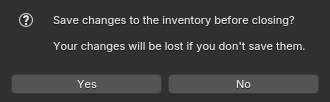
messagebox.askyesno on BUI.What you get
Everything below is tkinter behaviour, implemented on BUI’s C runtime.
- Geometry managers.
pack,gridandplacewith every option:in_,beforeandafter,ipadx,sticky, spans,columnconfigureweights andminsize,grid_remove, the*_infoand*_slavesmethods,grid_bbox,grid_location,grid_sizeandpack_propagate(False). The packer and gridder are C ports of Tk’s own algorithms. - Scrolling.
xview,yview,*_moveto,*_scrollandxscrollcommand/yscrollcommandwork onListbox,Text,TreeviewandCanvas.Canvasaddsscrollregion,confine, scroll increments andscan_*. The classic scrollable frame (aCanvaswithcreate_windowand a<Configure>binding) works too. - Bindings.
bind,bind_all,bind_class,bindtags,unbind*,event_addandevent_generate, with modifiers,Double-, buttons 1 to 3,<B1-Motion>,<KeyPress>and<KeyRelease>,<MouseWheel>(Button-4 and Button-5 on X11),<Enter>,<Leave>,<Configure>,<Map>,<Destroy>,<FocusIn>,<FocusOut>and virtual events. Callbacks run once per bindtag and stop on"break". - Widgets.
Entrywithshow="*"andvalidatecommand(all the%P %s %S %d %i %V %Wcodes).Listboxwith everyselectmode, including Ctrl and Shift clicks.Treeviewwith sortable headings,show="headings"tables,<<TreeviewOpen>>and<<TreeviewClose>>, andmove,detach,reattach. AlsoNotebook,PanedWindowwith draggable sashes,OptionMenu,MenubuttonandMessage. - Canvas. All item types, including
window, smoothed lines and arrowheads; tag expressions such as"a&&!b";find_*andaddtag_*;tag_bindwithcurrentand per-item<Enter>/<Leave>; shape-accurate hit tests;move,moveto,scaleandcoords; and editing text items in place. - Text. The full index grammar (
3.5,end-1c,insert lineend,@x,y,tag.first,+N lines,wordstart…), tags with colors, priorities andtag_bind, marks with gravity,search(regexp, backwards,count),dump,count, the undo stack,<<Modified>>and peers. - Windows.
geometry,attributes(-topmost,-alpha,-fullscreen,-disabled),resizable,minsizeandmaxsize,overrideredirect,state,iconify,withdraw,transient,protocol("WM_DELETE_WINDOW"),grab_set, the clipboard,after,after_idle,after_info,wait_window,wait_variableand everywinfo_*. - Images.
PhotoImagereads PNG, PPM and PGM in pure Python, and GIF through Tk. It supportsput,get,copy,zoom,subsample,copy_replace,dataandwrite(PNG, PPM).BitmapImagereads XBM.
The Blender look
The look always comes from Blender’s theme. Some widgets turn into their Blender twin:
| tkinter | On BUI |
|---|---|
tk.Scale, ttk.Scale |
A Blender slider |
Spinbox |
A Blender number field |
ttk.Combobox, OptionMenu |
A Blender enum dropdown |
LabelFrame |
A Blender panel |
Checkbutton(indicatoron=0) |
A Blender toggle button |
Menu as the window’s menu |
A Blender menu bar |
Scrollbar |
A Blender scroller |
Options that apply: bg on Frame, Canvas and windows; fg on text; font (size and bold, for example font=("Arial", 18, "bold")); cursor ("hand2", "xterm", "fleur" …); width and height in characters or pixels, as in Tk; image; and state.
Options that are accepted but don’t change the drawing: the ones that only style Tk itself, such as relief, borderwidth, highlightthickness, activebackground, selectcolor and ttk.Style settings. cget returns what you set, so code that reads them keeps working.
On top of that, the widgets get Blender’s interactions. Spinbox and Scale become Blender number fields and sliders: drag them sideways to change the value, or click and type a number or a sum such as 2*pi. Entry stays a text field and keeps what you type as text. Everywhere, Ctrl+Z and Ctrl+Shift+Z undo and redo edits, and Tab moves to the next field. The Blender widgets page covers them all.
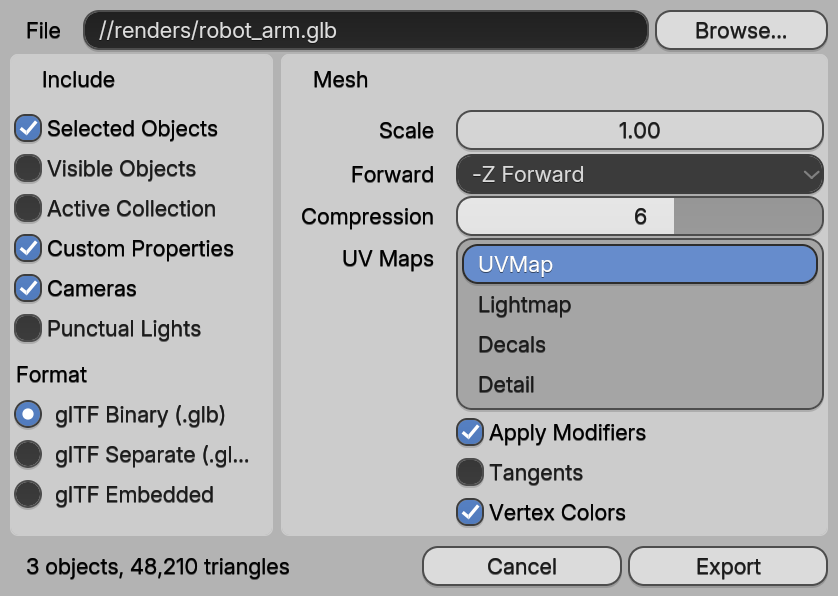
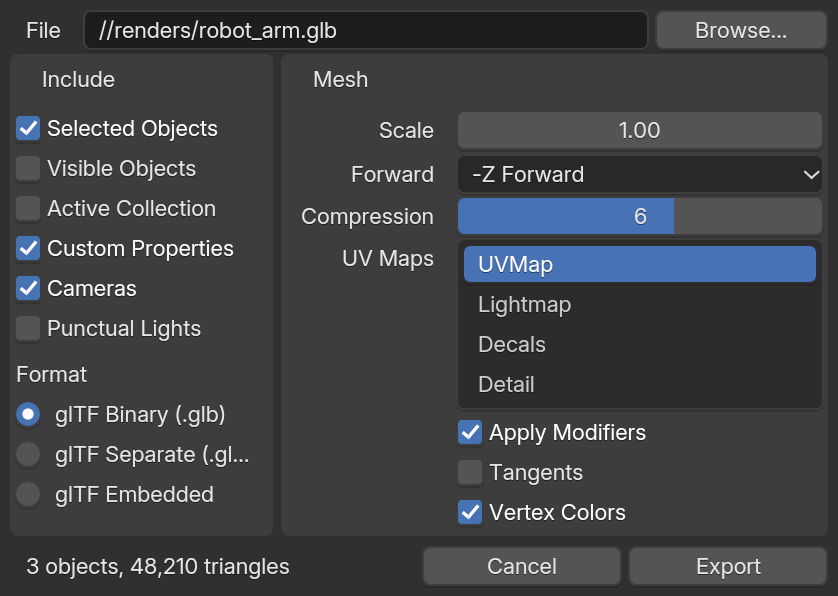
examples/site/tk_export.py): the Spinbox is a number field and the Scale a slider.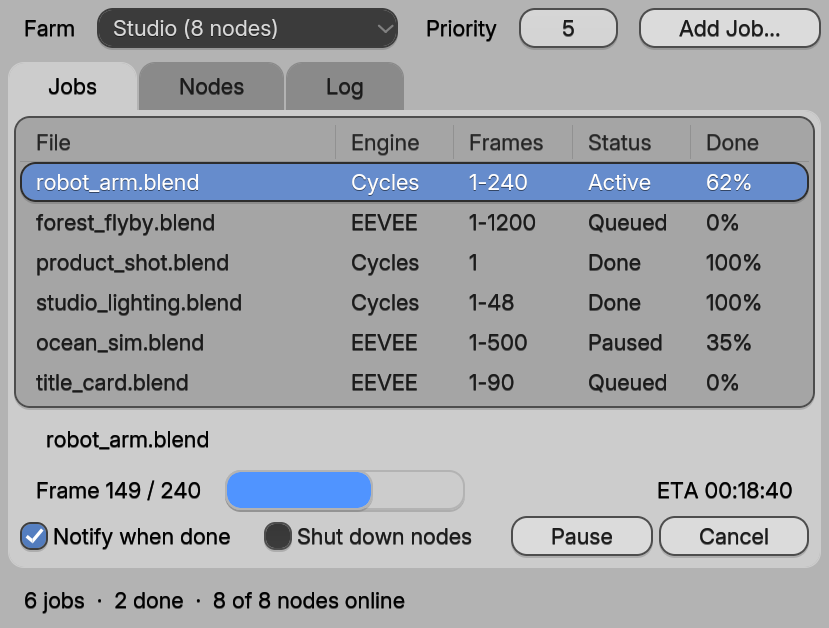
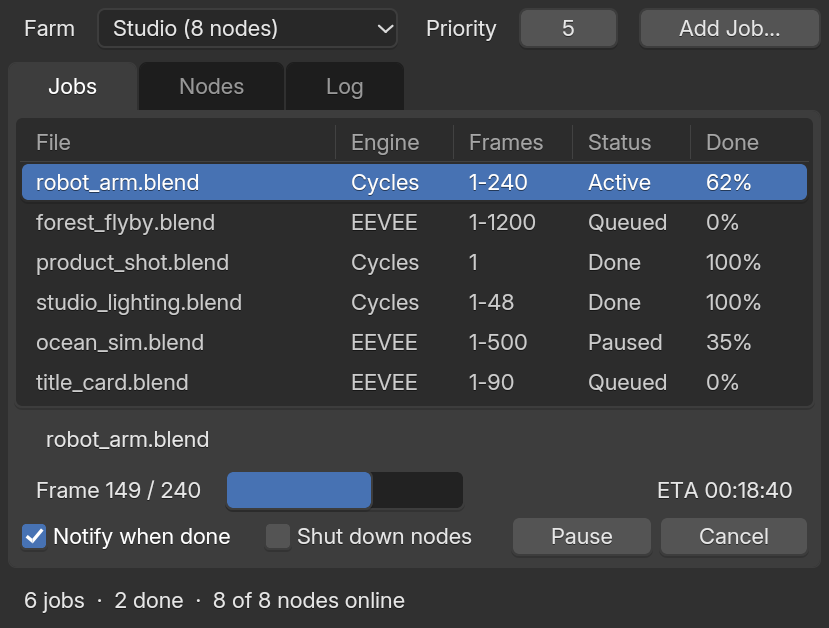
examples/site/ttk_queue.py).GPU rendering
import blenderui.tksyntax as tk
root = tk.Tk(gpu=True)    # Direct3D 11 on Windows, OpenGL 3.3 on Linux
For apps you run unchanged, set BUI_GPU=1, or call blenderui.set_gpu(True) before the first Tk(). The pixels are the same as on the CPU, but busy Canvas scenes cost far less CPU. The first frames draw on the CPU while the GPU starts, and without a usable GPU the window stays on the CPU renderer.
Behaviour notes
BUI follows Tk’s semantics, and its tests check them against the standard library. Some are easy to miss, on any tkinter:
textvariableoverridestext, andcget("text")returns the variable’s value.- A
Scale’scommandand<<TreeviewSelect>>run when the loop is idle, not insideset()orselection_set(). validatecommandalso sees programmaticinsertanddelete.- Generated key events (
event_generate("<Control-q>")) go to the widget with keyboard focus. - Menus keep Tk’s tear-off entry at index 0 unless you pass
tearoff=0. Textkeeps the trailing newline:get("1.0", "end")ends with"\n", so use"end-1c".edit_undo()does nothing whileundois off.- A
Notebookasks for the size of its largest page. - A
Toplevelappears when the loop is next idle, sized to its content. CheckbuttonandRadiobuttoncreate a variable if you don’t give one, as Tk does.
Limitations
There are a few things BUI can’t do, because nothing in it corresponds:
- No Tcl interpreter.
root.tk.call(...)handles a few common commands (tk scaling,wm …,set,info patchlevel) and raisesTclErrorfor the rest. sendraisesTclError, as it does on Windows Tk.- Images and windows embedded in a
Text(image_create,window_create) are kept and listed, but not drawn. - Canvas
dash,stippleandpostscriptoutput are accepted but not rendered.
Test your app against tkinter
If something behaves differently from standard tkinter, that’s a bug, and there’s a tool to prove it. bindings/python/tests/test_tk_compat.py runs small programs on both the standard library and BUI, and compares what they observe. A program is a function that takes the tk and ttk modules and returns a result:
def prog_mine(tk, ttk): root = tk.Tk() lb = tk.Listbox(root) lb.insert("end", "a", "b") lb.selection_set(1) result = {"sel": lb.curselection()} root.destroy() return resultAdd your function to the PROGRAMS list in that file, then run it:
python bindings/python/tests/test_tk_compat.pyIf the two results differ, you’ve found something worth an issue, and you already have the test case.
Next steps
Last updated