
Qt syntax
Write Qt-style Python (QApplication, QWidget, layouts, signals and QPainter) and BUI draws it in Blender's look, with no Qt installed. The common subset works today.
- Preview
- Partial
- Python
If your hands already know Qt, blenderui.qtsyntax lets them keep typing: QApplication, QWidget, QVBoxLayout, clicked.connect(...). BUI runs that code on its own C runtime and draws it with Blender’s widgets. Neither Qt nor PySide is needed.
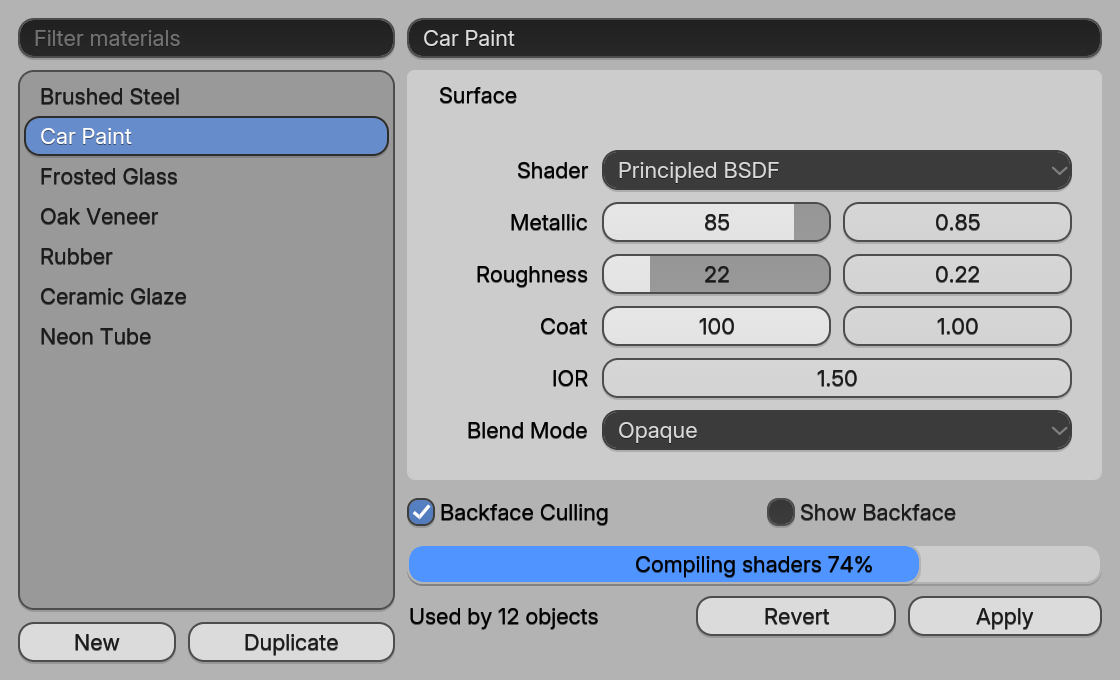
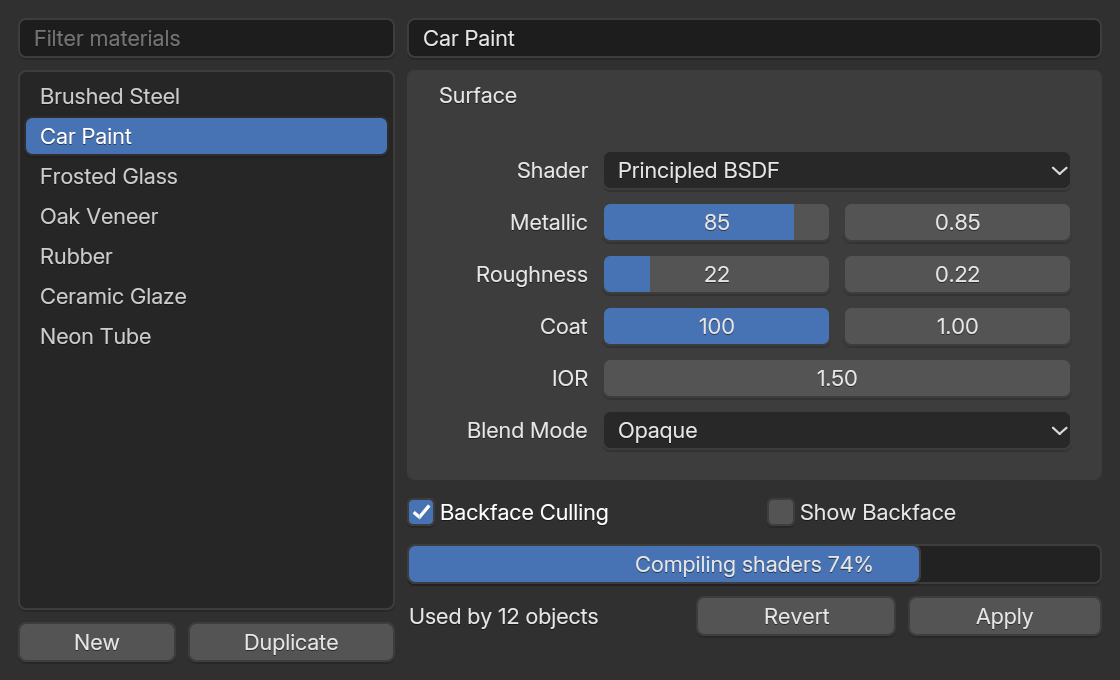
examples/site/qt_material.py, drawn by BUI.A first example
import sysfrom blenderui.qtsyntax import (QApplication, QWidget, QVBoxLayout, QSlider,                                QProgressBar, QPushButton, Qt)
app = QApplication(sys.argv)window = QWidget()window.setWindowTitle("Hello, Qt syntax")
layout = QVBoxLayout(window)slider = QSlider(Qt.Horizontal)slider.setRange(0, 100)bar = QProgressBar()slider.valueChanged.connect(bar.setValue)     # signals connect to any callablequit_button = QPushButton("Quit")quit_button.clicked.connect(app.quit)layout.addWidget(slider)layout.addWidget(bar)layout.addWidget(quit_button)
window.resize(320, 140)window.show()sys.exit(app.exec())
The only line that differs from PySide is the import. For a step-by-step build of a fuller form, follow the Qt tutorial.
How it maps
There’s no Qt underneath. Each piece of Qt maps onto something in BUI:
| Qt | On BUI |
|---|---|
QWidget |
A node in BUI’s C runtime (the kit). A subclass that overrides paintEvent becomes a kit canvas, and QPainter records into its display list. |
QVBoxLayout, QHBoxLayout |
Tk’s packer, ported to C, with Qt’s rules: stretch factors, expanding size policies, spacing between items only, margins on top-level layouts only |
QGridLayout, QFormLayout |
Tk’s gridder, ported to C (setColumnStretch maps to column weights) |
| Signals | Plain Python objects (Signal, also spelled pyqtSignal) |
QApplication.exec() |
BUI’s event loop: a native window (Win32, X11, Cocoa), or a Tk-hosted one with BUI_HOST=tk |
QTimer, QPropertyAnimation |
Window timers; animations step at 120 Hz with easing curves |
Supported classes
| Area | Classes |
|---|---|
| Application | QApplication (exec, quit, processEvents), QTimer (singleShot, start, stop, timeout), QPropertyAnimation, QEasingCurve |
| Windows | QWidget, QMainWindow (setCentralWidget, menuBar, statusBar), QDialog (exec, accept, reject), QFrame |
| Layouts | QVBoxLayout, QHBoxLayout (addWidget(stretch), addLayout, addStretch, addSpacing, insertWidget, setSpacing, setContentsMargins), QGridLayout (spans, alignment, stretch), QFormLayout.addRow, QStackedLayout |
| Widgets | QLabel (text, alignment, pixmap), QPushButton, QToolButton, QCheckBox, QRadioButton with QButtonGroup (auto-exclusive), QLineEdit (textChanged, returnPressed, editingFinished), QTextEdit, QPlainTextEdit, QSlider, QDial, QSpinBox, QDoubleSpinBox, QProgressBar (format), QComboBox (items, data, currentIndexChanged) |
| Views | QListWidget and QListWidgetItem, QTreeWidget and QTreeWidgetItem (columns, expand), QTableWidget and QTableWidgetItem |
| Containers | QTabWidget, QGroupBox (a Blender panel), QScrollArea, QStatusBar |
| Menus | QMenuBar, QMenu (addAction(text, slot, shortcut), submenus, separators, popup), QAction (checkable, shortcuts) |
| Painting | QPainter, QPen, QBrush, QColor, QFont, QPixmap, QImage |
| Events | Override mousePressEvent, mouseReleaseEvent, mouseMoveEvent, mouseDoubleClickEvent, keyPressEvent, wheelEvent, enterEvent, leaveEvent, closeEvent and paintEvent |
| Values | Qt constants (alignment, keys, orientation, check states), QPoint, QSize, QRect, QMargins, QSizePolicy, QIcon |
| Dialogs | QFileDialog (getOpenFileName, getOpenFileNames, getSaveFileName, getExistingDirectory) shows Blender’s File Browser; BUI_FILEDIALOG=native uses the operating system’s dialogs. QMessageBox is a stub, see below |
The member-by-member list is in SYNTAX_COVERAGE.md.
Signals
Signals work as in Qt: declare them on a class, connect any callable, emit to call them.
from blenderui.qtsyntax import QWidget, Signal
class Thermostat(QWidget):    changed = Signal(float)           # pyqtSignal and Signal_ are the same thing
t = Thermostat()t.changed.connect(lambda v: print("now", v))t.changed.connect(print)t.changed.emit(21.5)- Slots can take fewer arguments than the signal sends:
QPushButton.clickedsends abool, but a slot with no parameters is called with none. disconnect(slot)removes one slot;disconnect()removes them all.- Programmatic changes go through the kit, so in our testing a
setValuemade before the window opens doesn’t emitvalueChanged. Set dependent widgets yourself at startup, or make the change aftershow().
Layouts
Layouts behave like Qt’s, including the parts people rely on without thinking:
addWidget(widget, stretch)andaddStretch()share spare space by stretch factor.- Spacing goes between items only, and margins apply to top-level layouts only.
- Line edits, sliders, combo boxes and progress bars expand horizontally; text edits, lists, trees, tabs and custom-painted widgets expand vertically.
QGridLayout.addWidget(w, row, column, rowspan, colspan, alignment)andsetRowStretch/setColumnStretchwork.
Custom painting
Override paintEvent and draw with QPainter. On BUI, your drawing is recorded into a display list that BUI redraws for you; call update() when your data changes.
import sysfrom blenderui.qtsyntax import (QApplication, QWidget, QVBoxLayout, QLabel,                                QPainter, QColor, QPen)
class Gauge(QWidget):    def __init__(self):        super().__init__()        self.value = 0.6
    def paintEvent(self, event):        p = QPainter(self)        p.setBrush(QColor("#282828"))        p.drawRoundedRect(0, 0, self.width(), 24, 6, 6)        p.setBrush(QColor("#4772b3"))        p.drawRoundedRect(0, 0, int(self.width() * self.value), 24, 6, 6)        p.setPen(QPen(QColor("white")))        p.drawText(8, 17, "%d%%" % (self.value * 100))        p.end()
    def mousePressEvent(self, e):        self.value = e.x() / max(1, self.width())        self.update()                  # repaint
app = QApplication(sys.argv)window = QWidget()window.setWindowTitle("Gauge")layout = QVBoxLayout(window)layout.addWidget(QLabel("Click the gauge:"))layout.addWidget(Gauge())window.resize(300, 120)window.show()sys.exit(app.exec())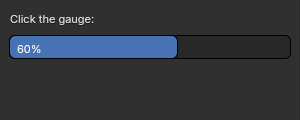
gauge.py: a custom widget painted with QPainter. Click anywhere on it to set the value.QPainter supports fillRect, drawRect, drawRoundedRect, drawEllipse, drawLine, drawPolyline, drawPolygon, drawPoint, drawArc, drawPie, drawText and drawPixmap, plus setPen, setBrush, setFont, setOpacity, translate, save and restore.
Style sheets
setStyleSheet understands three things: color, background (or background-color) on containers, and font-weight: bold. Everything else is Blender’s theme. Qt style sheet selectors, pseudo-states and QPalette aren’t supported.
What’s missing
Being upfront, so you don’t find out the hard way:
- Model/view:
QAbstractItemModel,QListView,QTreeView,QTableViewand delegates. Use the*Widgetclasses instead. - Classes:
QSplitter,QDockWidget,QToolBar,QStackedWidget(as a real class),QToolBox,QDateEditand friends,QCalendarWidget,QGraphicsScene, OpenGL widgets. - Most of
QWidget’s surface: focus-policy details,setWindowFlags, geometry helpers,grab. - Infrastructure:
QSettings,QThread,QClipboard, drag and drop,QShortcut, rich text. - Drawn dialogs:
QMessageBoxandQInputDialogaren’t drawn yet.QMessageBox.information,warning,criticalandaboutreturnOkat once, andquestionreturnsYesat once, without showing anything.
Next steps
Last updated