
Dear ImGui from C++
Run your existing Dear ImGui code on BUI with one header and one CMake target, in Blender's theme, on the CPU or the GPU.
- C++
- Dear ImGui
Already have a Dear ImGui app? Keep it. BUI runs the real Dear ImGui (1.93.1 WIP), so your code compiles unchanged. You swap the platform and renderer backend for one header, and your windows, sliders and tables come out in Blender’s colours and font, drawn by BUI on the CPU or the GPU.
A backend, in ImGui terms, is the glue that feeds ImGui input and draws its output. BUI’s is imgui_impl_bui.h. It replaces the usual pair (say, imgui_impl_win32 plus imgui_impl_dx11) on every platform BUI supports.
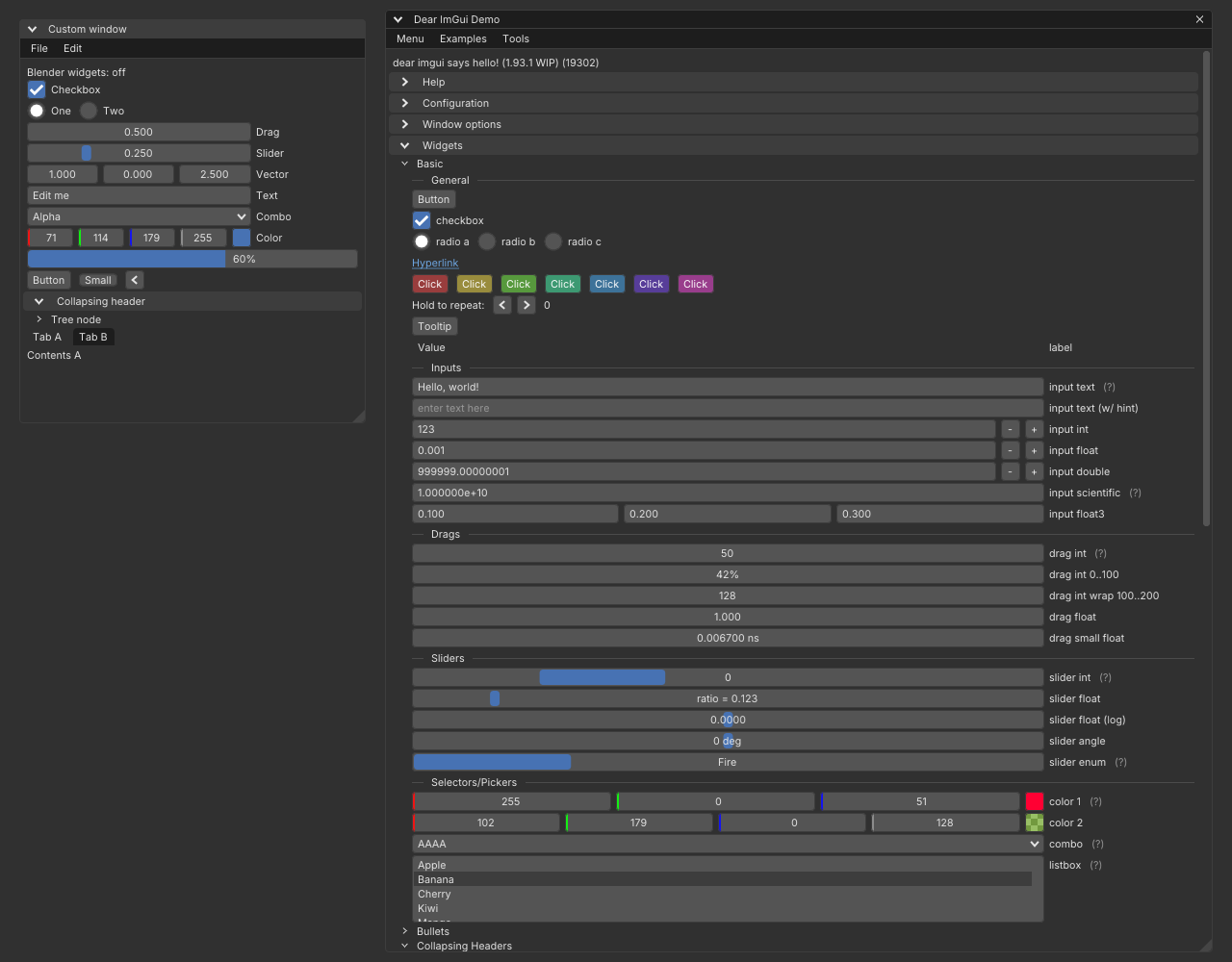
Hello, ImGui on BUI
#include "imgui.h"#include "imgui_impl_bui.h"
static void frame(void*) { ImGui::ShowDemoWindow(); }
int main() {  ImGui::CreateContext();  ImGui_ImplBUI_App* app = ImGui_ImplBUI_CreateApp("Dear ImGui on BUI", 1280, 800, frame, nullptr);  ImGui_ImplBUI_RunApp(app);       // BUI's message loop until the window closes  ImGui_ImplBUI_DestroyApp(app);  ImGui::DestroyContext();}
That’s the whole program. Notice what’s missing: no NewFrame(), no Render(), no swap chain. You hand BUI a frame function, and the backend calls ImGui::NewFrame(), your function and ImGui::Render() itself, whenever a frame is due.
ImGui_ImplBUI_CreateApp(title, width, height, frame, user)opens a native window whose whole client area is ImGui. It needs a current ImGui context. An optional last argument takes a config (below).ImGui_ImplBUI_RunApp(app)runs BUI’s message loop until the window closes.ImGui_ImplBUI_DestroyApp(app)shuts the backend down.useris passed toframeunchanged: point it at your app’s state.
Build it with CMake
Add BUI to your project and link bui::imgui. It contains Dear ImGui’s core, its demo, the BUI backend and the Blender style.
cmake_minimum_required(VERSION 3.20)project(myapp C CXX)
add_subdirectory(BUI)add_executable(myapp main.cpp)target_link_libraries(myapp PRIVATE bui::imgui)
The BUI_BUILD_IMGUI option is on whenever a C++ compiler is present. To try BUI’s own demo first, build the bui_imgui_demo target from a clone of BUI:
cmake -S . -B buildcmake --build build --target bui_imgui_demoRun it as it is for a window, or with --screenshot out.png to render a few frames headless and save a PNG. Add --gpu to render that screenshot on the GPU.
On the GPU
Set BUI_GPU=1 before you start the app, and BUI draws ImGui with Direct3D 11 (Windows) or OpenGL 3.3 (Linux) instead of the software raster. Your code doesn’t change.
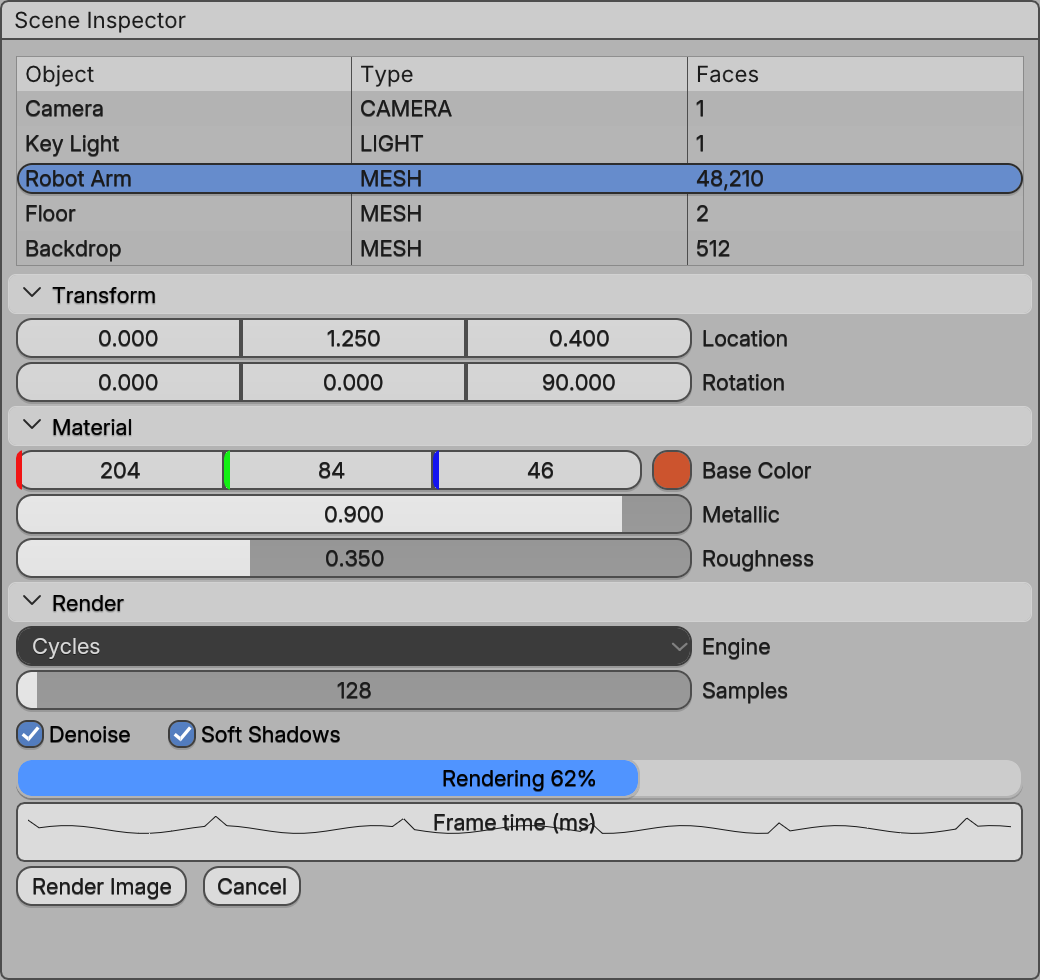
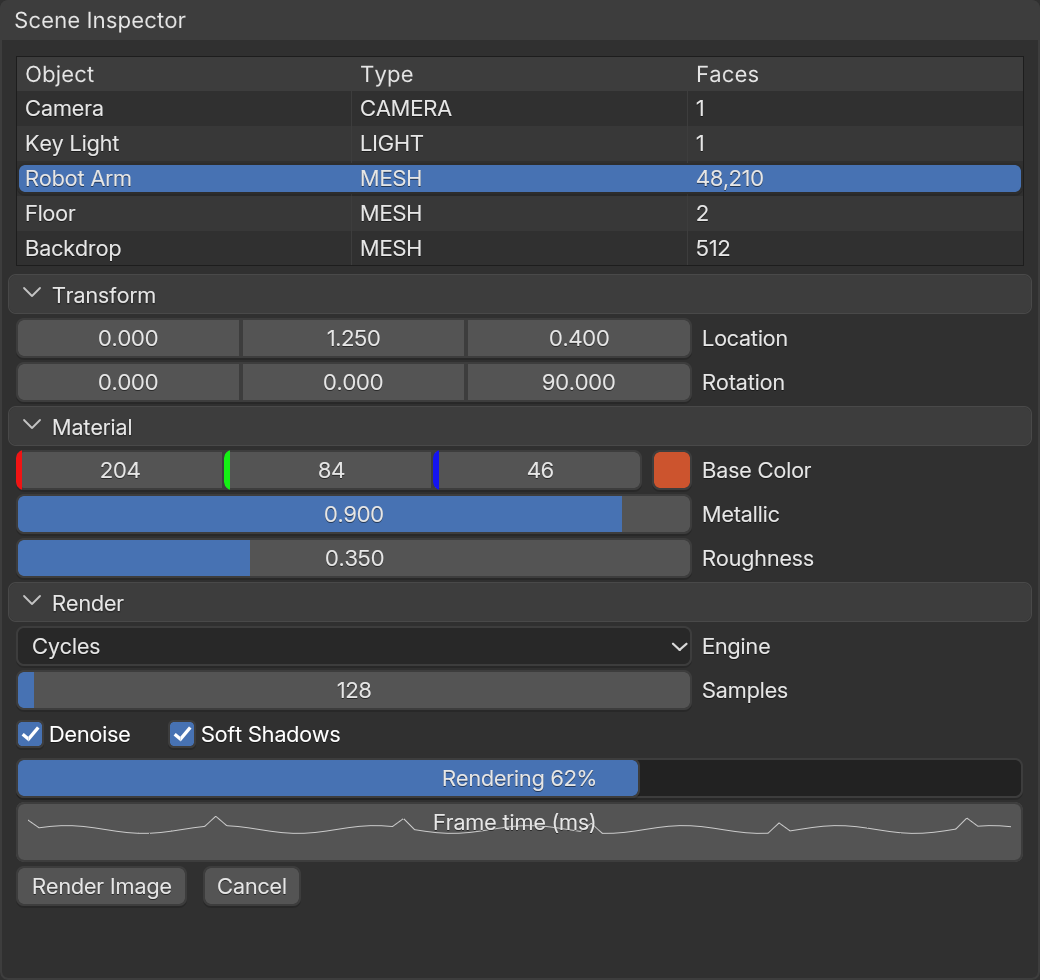
BUI_IMGUI_BLENDER_WIDGETS=ON, ImGui's widgets become Blender's (examples/site/imgui_inspector.cpp). See Blender widgets.Configure the backend
CreateApp and Init take an optional ImGui_ImplBUI_Config:
ImGui_ImplBUI_Config cfg;cfg.BlenderStyle = false; // keep your own ImGuiStyle (it's still scaled)cfg.FontSize = 15.0f; // pixels at scale 1ImGui_ImplBUI_App* app = ImGui_ImplBUI_CreateApp("Tool", 1280, 800, frame, &state, &cfg);| Field | Default | What it does |
|---|---|---|
BlenderStyle |
true |
Apply Blender’s theme colours and metrics at the UI scale |
BlenderFont |
true |
Load Blender’s UI font (Inter, embedded in BUI) into io.Fonts |
FontSize |
0 |
Font size in pixels at scale 1; 0 means Blender’s UI text size |
FollowScale |
true |
Re-apply the style and font size when the DPI scale changes |
SettleFrames |
3 |
Extra frames after an input event, so hover states settle |
The Blender style is also a function: ImGui_ImplBUI_StyleBlender(&style, scale) applies it to any ImGuiStyle. ImGui_ImplBUI_AddBlenderFont(size) adds Inter on its own, and ImGui_ImplBUI_BlenderFontSize(scale) tells you the size that matches Blender’s text.
Idle costs nothing
Most ImGui backends render 60 frames a second forever. BUI’s doesn’t. Input asks for a frame; after each frame the backend asks for another only while something can still change: a few settle frames after input, frames while the output keeps changing (animations, a held repeat button), timer wakes for the text cursor blink and tooltip delays. Then nothing runs, and an idle window uses no CPU. A frame whose draw data didn’t change doesn’t even redraw.
If your app changes something the UI shows (a download finishes, a file reloads), ask for a frame yourself:
ImGui_ImplBUI_RequestFrames(); // one frame now (or n back to back)ImGui_ImplBUI_RequestFrameIn(500); // one frame in about 500 msImGui inside a BUI interface
ImGui doesn’t have to own the window. It can live in one custom node of a larger BUI interface, next to the kit’s native widgets:
BKNode* node = BK_node_new("custom");BK_node_add(column, node, -1);BK_set_num(node, "fill", 1);ImGui::SetCurrentContext(my_ctx);ImGui_ImplBUI_Init(node, frame, user); // the backend runs NewFrame/frame/Render itselfSeveral nodes can each host their own ImGui context. Because the backend runs inside BK_render, it works in every BUI host: the native windows (Win32, X11, Cocoa), the Tk and Qt hosts, and headless rendering into a raster. The C kit page explains nodes and contexts.
What the backend supports
- Input: mouse (three buttons, held together), precise vertical and horizontal wheel, keyboard, typed UTF-8 text, modifiers and focus.
- Platform: mouse cursor shapes, the host’s clipboard, DPI scale, time.
- Rendering: every BUI renderer (software, Direct3D 11, OpenGL 3.3), per-command clip rectangles, large meshes (
VtxOffset), dynamic textures.ImTextureIDis a BUI texture id fromBUI_texture_create, soImGui::Imageworks with your own pixels.
Not supported yet: IME candidate window placement, gamepads and multi-viewports Coming soon. The full list of small gaps is on the coverage page.
Next steps
Last updated