
gpui syntax and the app model
blenderui follows gpui's app model, Application, Render, entities, cx.listener and div().flex(), so gpui-style code compiles against it. Here's the map, the differences and the numbers.
- Rust
gpui builders are one of BUI’s two first-class ways to write a Rust UI, next to rsx! markup. Views implement Render, elements are built with method chains like div().flex().gap_2().child(...), state lives in the view’s fields, and listeners come from cx.listener(...). Every BUI feature is reachable this way; rsx! itself compiles down to these same calls.
The syntax and app model follow gpui, the Rust UI crate behind the Zed editor, closely enough that the same source file compiles against blenderui, gpui and gpui-fast. You don’t need to know gpui to use it: this page explains the whole model. On top of it you get every HTML element, real CSS and Blender’s form widgets.
A gpui-style app
use blenderui::prelude::*;
struct Todo { items: Vec<String>, draft: String }
impl Render for Todo {    fn render(&mut self, _: &mut Window, cx: &mut Context<Self>) -> impl IntoElement {        div().styled().p_4().flex().flex_col().gap_2()            .child(h2().child(format!("{} items", self.items.len())))            .child(ul().children(self.items.iter().map(|s| li().child(s.clone()))))            .child(div().flex().gap_2()                .child(input().id("draft").placeholder("New item").value(self.draft.clone())                    .on_change(cx.listener(|this, e: &ChangeEvent, _, cx| {                        this.draft = e.value.clone();                        cx.notify();                    })))                .child(button().child("Add").on_click(cx.listener(|this, _, _, cx| {                    this.items.push(std::mem::take(&mut this.draft));                    cx.notify();                }))))    }}
fn main() {    Application::new().run(|cx: &mut App| {        cx.open_window(WindowOptions::default(), |_, cx| {            cx.new(|_| Todo { items: Vec::new(), draft: String::new() })        }).unwrap();    });}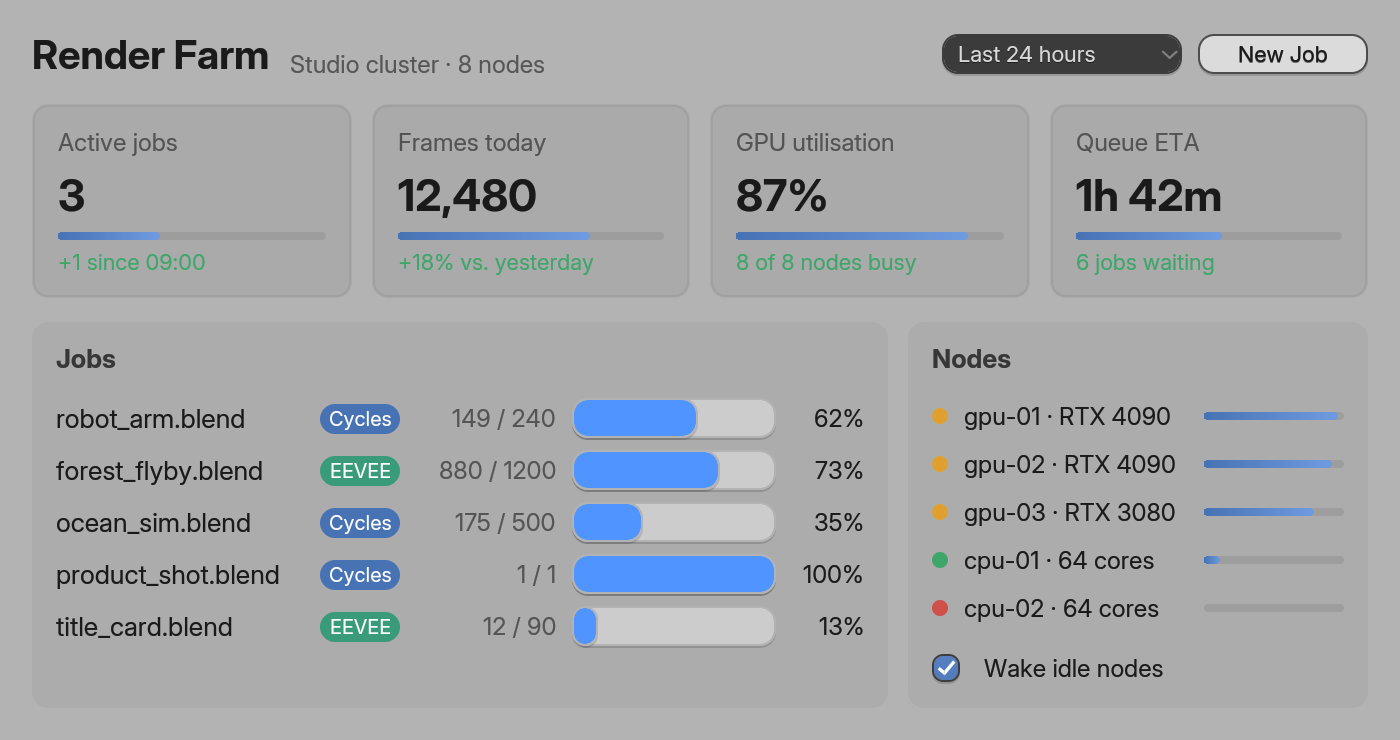
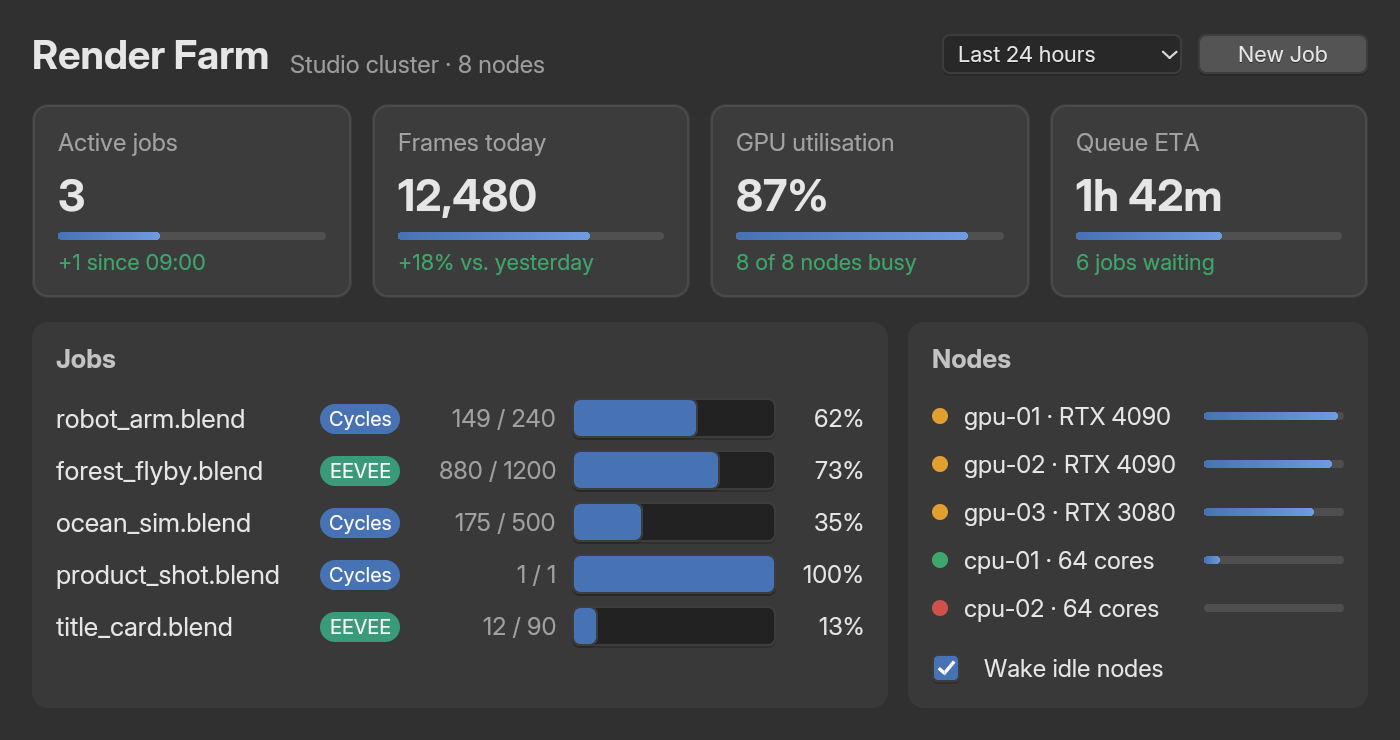
examples/site_dashboard_builder.rs.cx.notify() re-renders. Rendering builds a fresh element tree each time; elements with an .id(...) keep their state across renders, which is why the draft field keeps its text while you type.
gpui to blenderui
| gpui | blenderui |
|---|---|
Application::new().run(...) |
The same; Application::headless() renders off-screen |
cx.open_window(options, build) returning a window handle |
The same; returns WindowHandle<View> |
impl Render for View |
The same: fn render(&mut self, window, cx) -> impl IntoElement |
Entity<T>, WeakEntity<T>, cx.new |
Copy handles into the app’s entity slots: read (returns &T), update, downgrade; cx.release(e) drops a value |
Context<T>: notify, listener, entity |
The same; it derefs to App |
WindowOptions { window_bounds, titlebar, .. }, WindowBounds::Windowed(..) |
The same, plus is_resizable, window_min_size and gpu |
cx.set_global, cx.global |
The same, plus try_global and global_mut |
cx.stop_propagation() |
The same |
div().flex().gap_2(), .when(..), .when_some(..), .map(..) |
The same, from the Styled and FluentBuilder traits |
canvas(..) |
canvas(paint), with a Painter (Events) |
window.request_animation_frame() |
The same, paced to the display |
Entities
An entity is a value owned by the app, which you reach through a handle. Views are entities.
cx.new(|cx| value)creates one and returns anEntity<T>.entity.read(cx)returns&T;entity.update(cx, |value, cx| ...)changes it, with aContext<T>.entity.downgrade()gives aWeakEntity<T>. ItsupdatereturnsNoneonce the value is gone, andupgrade_in(cx)turns it back into anEntityif it’s still alive.cx.release(entity)drops the value. Weak handles then skip it; strong handles panic if used.- Handles are
Copy. They’re indices into an app-owned slot map, so there’s noRcor reference counting.
Inside a view, cx.entity() and cx.weak_entity() give you your own handle, and cx.listener(...) wraps a closure so it updates your view when it runs.
Windows
let opts = WindowOptions { window_bounds: Some(WindowBounds::Windowed(Bounds { origin: point(px(100.0), px(100.0)), size: size(px(360.0), px(260.0)), })), titlebar: Some(TitlebarOptions { title: Some("Settings".into()) }), is_resizable: Some(true), window_min_size: Some(size(px(200.0), px(150.0))), gpu: Some(true),};let win = cx.open_window(opts, |_, cx| cx.new(|_| MyView)).unwrap();WindowBoundsisWindowed,MaximizedorFullscreen. Without bounds, a window opens at 1024 × 700; without a title, it’s called “BUI”.gpu: Some(true)draws this window on the GPU;NonefollowsApplication::gpuandBUI_GPU.WindowHandle<V>hasroot()(the view’s entity) andupdate(cx, |view, window, cx| ...).- On
App:close_window(id),on_window_closed(|id, cx| ...),notify_all(),quit().activate(..)exists for compatibility and does nothing, because windows come to the front when shown.
The event loop runs until every window is closed.
Globals
cx.set_global(value) stores one value per type; read it with cx.global::<T>() (panics if unset), cx.try_global::<T>() or cx.global_mut::<T>().
Talking to the UI thread
BUI runs your UI on one thread. To hand it work from another thread, such as a file loader or a network call, take a UiSender:
use blenderui::prelude::*;
struct Status { text: String }
impl Render for Status {    fn render(&mut self, _: &mut Window, _: &mut Context<Self>) -> impl IntoElement {        div().styled().p_4().child(self.text.clone())    }}
fn main() { Application::new().run(|cx| { let win = cx.open_window(WindowOptions::default(), |_, cx| { cx.new(|_| Status { text: "Loading…".into() }) }).unwrap(); let view = win.root(); // an Entity: a Copy handle you can send let ui = cx.ui_sender(); std::thread::spawn(move || { let text = std::fs::read_to_string("notes.txt").unwrap_or_default(); ui.send(move |cx| view.update(cx, |s, cx| { // runs on the UI thread s.text = text; cx.notify(); })); }); });}cx.ui_sender()returns aUiSenderyou can clone and move to any thread.ui.send(|cx| ...)queues a closure; the UI loop wakes, runs it with&mut App, then re-renders what it changed. It returnsfalseonce the app has ended..keep_alive(true)keeps the event loop running with no windows open, untilcx.quit().cx.run_pending()runs queued work by hand, for a loop that isn’t the native one (headless apps driven from another thread).
Compiling gpui code unchanged
The repository’s benchmarks prove the point. settings.rs is a small settings window, a label, a text field, a checkbox, a slider and a button, written once in gpui syntax. It’s compiled unchanged against blenderui, Zed’s gpui and gpui-fast; each benchmark crate only supplies the imports and main:
use blenderui::prelude::*;
include!("../../../common/settings.rs");
fn main() {    Application::new().run(|cx: &mut App| {        let bounds = Bounds { origin: point(px(100.0), px(100.0)), size: size(px(360.0), px(260.0)) };        cx.open_window(WindowOptions { window_bounds: Some(WindowBounds::Windowed(bounds)), ..Default::default() },                       |_, cx| cx.new(|_| Settings { renders: 0 }))            .unwrap();    });}
gpui has no form widgets, so in that file the controls are styled divs. On blenderui you can swap them for real ones (input(), <NumberSlider> …) whenever you’re ready.
How it compares
All numbers here come from the repository’s benchmarks, with their setup. Rerun them yourself with the tools in bindings/rust/bench (see the benchmarks page).
Start time
The settings.rs window above, compiled against each framework. Measured on a Ryzen 7 5800U laptop (Windows 11, on AC power) before the latest features (ImGui, the Linux GPU renderer, Blender’s search and expression code) landed. Median of 10 launches, from process start until the first frame is on screen:
Start time, same gpui code
One gpui-syntax file compiled against each library; median of 10 launches
Lower is better
5.7×faster start than gpui-fast
- BUI
- Others
- blenderuiCPU renderer40 ms
- blenderuiGPU renderer43 ms
- gpui-fastGPU226 ms5.7× more
- gpuiZed's, GPU231 ms5.8× more
Open benchClose bench
| Same gpui code | Renderer | Start time | CPU used to start | Memory (idle) | Idle CPU per minute |
|---|---|---|---|---|---|
| blenderui | CPU | 40 ms | 27 ms | 15 MB | 0 ms |
| blenderui | GPU | 43 ms | 60 ms | 31 MB | 2.1 ms |
| gpui | GPU | 231 ms | 226 ms | 29 MB | 743 ms |
| gpui-fast | GPU | 226 ms | 217 ms | 31 MB | 2.5 ms |
gpui has no form widgets, so there the controls are styled divs. Memory doesn't count GPU memory.
Source: README.md#performance · Ryzen 7 5800U laptop, Windows 11, on AC power
CPU used to start, same gpui code
CPU time spent from launch to first frame: what a launch costs the battery
Lower is better
8×less CPU to start than gpui-fast
- BUI
- Others
- blenderuiCPU renderer27 ms
- blenderuiGPU renderer60 ms
- gpui-fastGPU217 ms8× more
- gpuiZed's, GPU226 ms8.4× more
Open benchClose bench
| Same gpui code | Renderer | Start time | CPU used to start | Memory (idle) | Idle CPU per minute |
|---|---|---|---|---|---|
| blenderui | CPU | 40 ms | 27 ms | 15 MB | 0 ms |
| blenderui | GPU | 43 ms | 60 ms | 31 MB | 2.1 ms |
| gpui | GPU | 231 ms | 226 ms | 29 MB | 743 ms |
| gpui-fast | GPU | 226 ms | 217 ms | 31 MB | 2.5 ms |
gpui has no form widgets, so there the controls are styled divs. Memory doesn't count GPU memory.
Source: README.md#performance · Ryzen 7 5800U laptop, Windows 11, on AC power
| Same gpui code | Renderer | Start time | CPU used to start | Memory (idle) | Idle CPU per minute |
|---|---|---|---|---|---|
| blenderui | CPU | 40 ms | 27 ms | 15 MB | 0 ms |
| blenderui | GPU | 43 ms | 60 ms | 31 MB | 2.1 ms |
| gpui | GPU | 231 ms | 226 ms | 29 MB | 743 ms |
| gpui-fast | GPU | 226 ms | 217 ms | 31 MB | 2.5 ms |
gpui has no form widgets, so there the controls are styled divs. Memory doesn't count GPU memory.
On the same code, blenderui shows its first frame about 5× sooner than gpui and gpui-fast, spends about 8× less CPU getting there, and on the CPU renderer uses half the memory.
Animated frames
A window of N rounded, labelled cells that all change every frame, on blenderui (GPU renderer and default software raster), gpui-fast 0.1.13 and gpui 0.2.2. Ryzen 7 5800U laptop at 60 Hz, all apps back to back in one session:
Frames per second
Rust, 3000 animated cells, same session
Higher is better
3×the frame rate of gpui
- BUI
- Others
- blenderuiGPU renderer59.9 fps
- blenderuiCPU renderer57.6 fps
- gpui-fast31.5 fps1.9× fewer
- gpui19.9 fps3× fewer
Open benchClose bench
| blenderui (GPU) | blenderui (CPU) | gpui-fast | gpui | |
|---|---|---|---|---|
| FPS | 59.9 | 57.6 | 31.5 | 19.9 |
| CPU per frame | 11.6 ms | 22.0 ms | 31.9 ms + GPU | 50.5 ms + GPU |
| RAM | 40 MB | 30 MB | 65 MB | 77 MB |
| First frame | ~5 ms | ~5 ms | ~200 ms | ~220 ms |
| Idle CPU | 0 % | 0–0.9 % | 0–0.4 % | 0.9–1.4 % |
gpui-fast's heavy-scene frame rate varies between sessions on this laptop (30–60 fps), so compare within one session.
Source: README.md#performance · Ryzen 7 5800U laptop, Windows 11, on AC power
CPU per frame, 100 and 1000 cells
gpui's numbers don't include its GPU time
Lower is better
- blenderui GPU
- blenderui CPU
- gpui-fast
- gpui
- 100 cells
- blenderui GPU: 1.2 ms
- blenderui CPU: 4.6 ms
- gpui-fast: 2.7 ms
- gpui: 4.7 ms
- 1000 cells
- blenderui GPU: 4.7 ms
- blenderui CPU: 10.2 ms
- gpui-fast: 20.5 ms
- gpui: 27.7 ms
Open benchClose bench
| blenderui (GPU) | blenderui (CPU) | gpui-fast | gpui | |
|---|---|---|---|---|
| FPS, 1000 animated cells | 60 | 60 | 49.2 | 36.4 |
| CPU per frame, 1000 / 100 cells | 4.7 / 1.2 ms | 10.2 / 4.6 ms | 20.5 / 2.7 ms + GPU | 27.7 / 4.7 ms + GPU |
| Uncapped FPS, 100 / 1000 / 3000 cells | 1491 / 309 / 94 | 649 / 202 / 76 | - | - |
| RAM, 1000 / 100 cells | 35 / 28 MB | 24 / 21 MB | 45 / 47 MB | 47 / 40 MB |
| GPU memory | 19–22 MB | none | 19–24 MB | 16–21 MB |
The GPU renderer is off by default: Application::new().gpu(true), tk.Tk(gpu=True), bui.set_gpu(True) or BUI_GPU=1. Its shaders evaluate the software raster's formulas: 10 of 172,800 pixels differ by more than 3/255.
Source: README.md#performance · Ryzen 7 5800U laptop, Windows 11, on AC power
| blenderui (GPU) | blenderui (CPU) | gpui-fast | gpui | |
|---|---|---|---|---|
| FPS | 59.9 | 57.6 | 31.5 | 19.9 |
| CPU per frame | 11.6 ms | 22.0 ms | 31.9 ms + GPU | 50.5 ms + GPU |
| RAM | 40 MB | 30 MB | 65 MB | 77 MB |
| First frame | ~5 ms | ~5 ms | ~200 ms | ~220 ms |
| Idle CPU | 0 % | 0–0.9 % | 0–0.4 % | 0.9–1.4 % |
gpui-fast's heavy-scene frame rate varies between sessions on this laptop (30–60 fps), so compare within one session.
| blenderui (GPU) | blenderui (CPU) | gpui-fast | gpui | |
|---|---|---|---|---|
| FPS, 1000 animated cells | 60 | 60 | 49.2 | 36.4 |
| CPU per frame, 1000 / 100 cells | 4.7 / 1.2 ms | 10.2 / 4.6 ms | 20.5 / 2.7 ms + GPU | 27.7 / 4.7 ms + GPU |
| Uncapped FPS, 100 / 1000 / 3000 cells | 1491 / 309 / 94 | 649 / 202 / 76 | - | - |
| RAM, 1000 / 100 cells | 35 / 28 MB | 24 / 21 MB | 45 / 47 MB | 47 / 40 MB |
| GPU memory | 19–22 MB | none | 19–24 MB | 16–21 MB |
The GPU renderer is off by default: Application::new().gpu(true), tk.Tk(gpu=True), bui.set_gpu(True) or BUI_GPU=1. Its shaders evaluate the software raster's formulas: 10 of 172,800 pixels differ by more than 3/255.
The full table, how it was measured and how to rerun it are in bindings/rust/bench/README.md.
Where it differs from gpui
- One element type. Every element is a
Div, with a constructor per HTML tag, and CSS applies to all of them. - Entities are
Copyhandles, andreadreturns&Tdirectly. A weak handle upgrades withupgrade_in(cx). - Listeners and closures: in
rsx!, listeners may leave out the(event, window, cx)parameters. - Extra
WindowOptions:gpupicks the renderer per window. - HTML and CSS on top: stylesheets, selectors, Tailwind classes and Blender’s widgets are all available from the same builder chain.
Next steps
Last updated